
MFA Fatigue: When “Approve” Is the Wrong Choice
Posted in: News

Multi-Factor Authentication (MFA) is essential for keeping campus accounts and data secure. By requiring a second verification—like a push notification, text, or token—MFA helps protect sensitive research, personal data, and university systems. But there’s a growing concern: MFA fatigue.
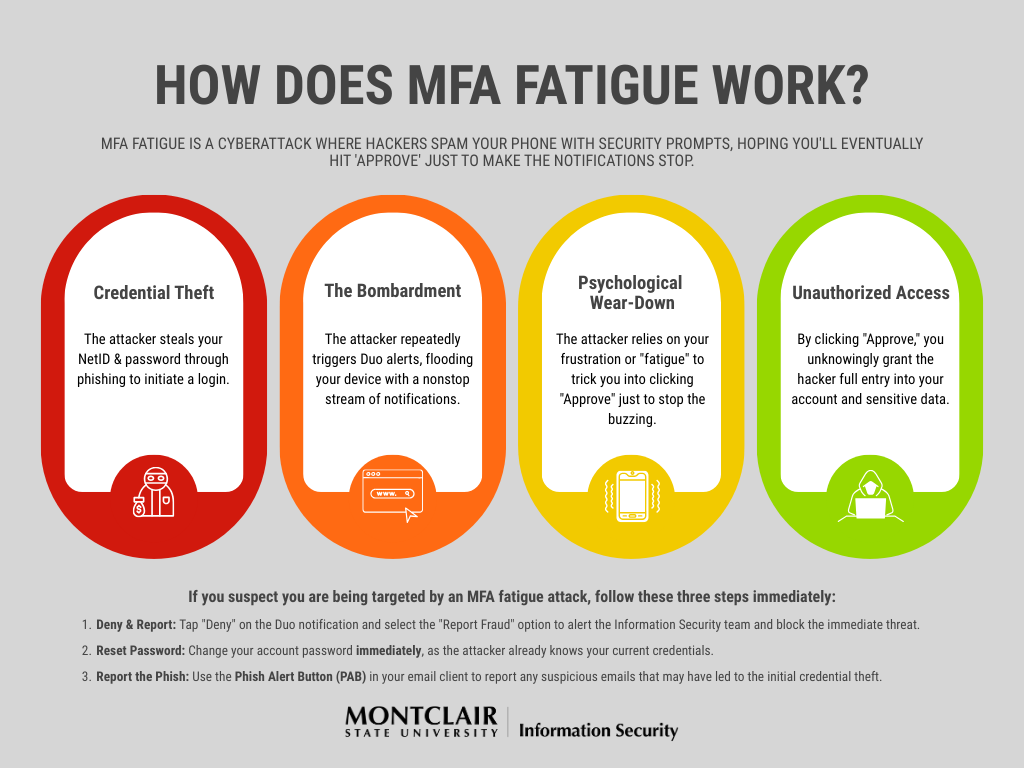
What is MFA Fatigue?
MFA fatigue occurs when users are repeatedly prompted to approve authentication requests—sometimes dozens of times a day. This can create stress and frustration, leading users to reflexively click “Approve” without verifying the request.
Cybercriminals exploit this behavior through tactics like “push bombing,” sending multiple approval requests to trick users into granting access. A fatigued click on “Approve” can give attackers instant access to your account.
Why Higher Ed is a Target
Universities store vast amounts of personal and research data, making them high-value targets. With students, faculty, and staff logging in from multiple devices and locations, MFA fatigue creates an opportunity for attackers to gain unauthorized access.
Do’s and Don’ts to Protect Yourself
Do:
-
Pause before approving: If you didn’t initiate the login, it’s likely suspicious.
-
Switch to Duo Verified Push: This method shows login details like device and location, making it easier to identify unauthorized attempts.
-
Contact the IT Service Desk if you can’t switch: The IT Service Desk can help ensure your account is using the safest MFA method.
-
Report fraudulent requests: If you did not initiate the request, hit Fraud in the Duo mobile app.
- If you are unable to report the fraudulent request via the app, please contact the IT Service Desk.
-
Report phishing emails with the Phish Alert Button (PAB): If you receive a suspicious email, report it immediately to help protect yourself and the campus community.
Don’t:
-
Approve requests automatically: Clicking “Approve” just to stop notifications can compromise your account.
-
Ignore notifications: Unexpected prompts may indicate an attempted compromise.
-
Share your Duo codes or passwords with anyone: Attackers may pose as the IT Service Desk or use phishing forms (like Google Forms) to trick you into giving your credentials and MFA code.
-
Rely on less secure MFA methods: SMS or phone calls are easier for attackers to exploit.
Moving Toward Safer MFA Practices
Using Duo Verified Push is a safer, more informative way to authenticate. It reduces MFA fatigue by giving you context for each login attempt and helps you spot suspicious activity before it becomes a problem.
Remember: Not every “Approve” request is safe. Switch to Duo Verified Push, pause before approving, never share your codes or passwords, report suspicious emails with the PAB, and contact the Help Desk if you need assistance. Your vigilance keeps our campus community secure.
Want to Know More?
Google | Phishing Campaigns Targeting Higher Education Institutions
sosafe| MFA Fatigue Attack
One Identity | What is MFA fatigue