
Montclair State University IT LAST ANNOUNCEMENT Portal Update Alert, JANUARY!
Posted in: Spear Phishing
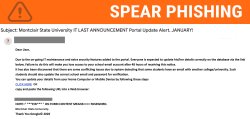
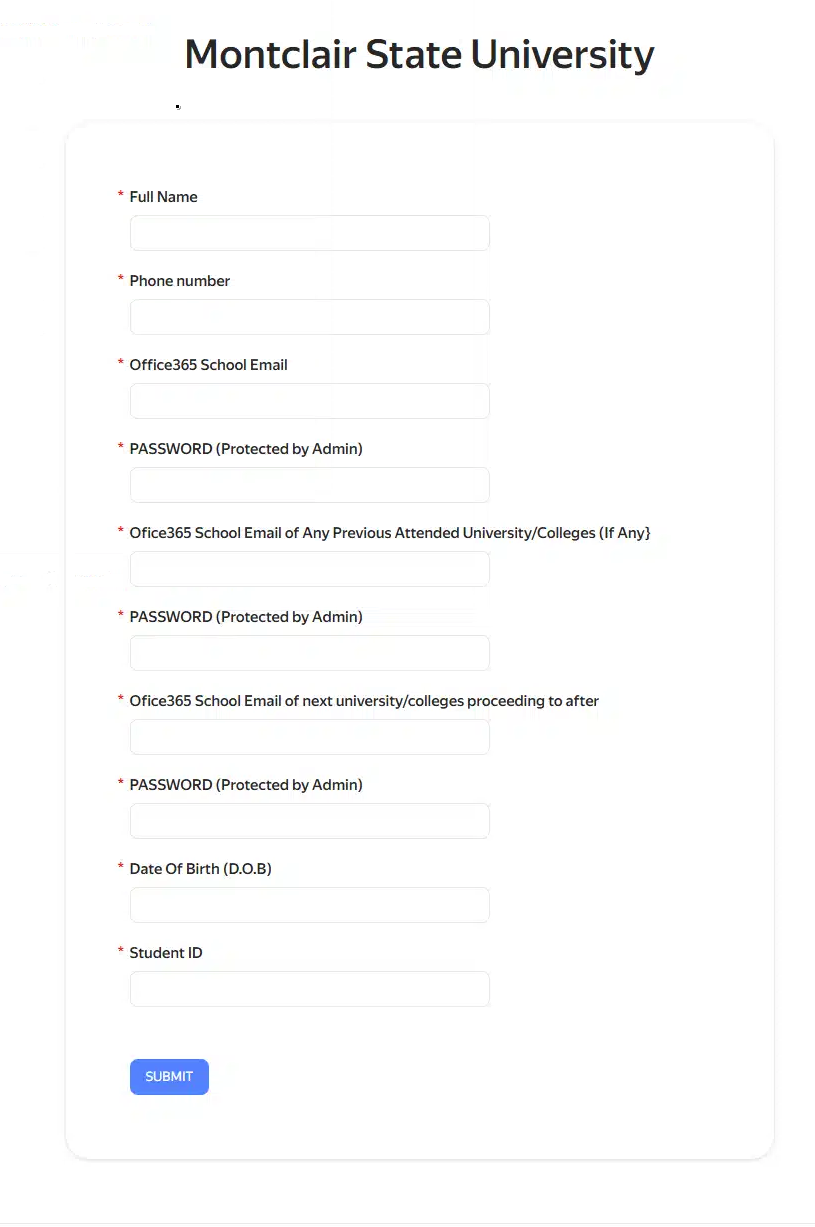
Why this looks valid:
-
Logical Premise: IT frequently perform maintenance and security updates, making the request seem routine.
-
Specific Instructions: Mentioning “conflicting issues” with other universities adds a layer of technical detail that can sound professional.
-
Convenience: The email suggests you can perform the update from a mobile device or home computer, which aligns with modern remote-access policies.
Why this is phishing?
-
Artificial Urgency: The “48-hour” deadline is a high-pressure tactic designed to make you act before you think.
-
Threat of Account Loss: IT would not threaten to delete your account over a routine database update.
-
Generic Greeting: Using “Dear User” instead of your name is a sign of a bulk phishing campaign.
-
The “P.W.” Disclaimer: IT will never ask for your password via an external form or link. Asking you to provide your “password for verification” is a 100% guarantee of a scam.
-
Poor Grammar/Formatting: “Everyone is expected to update his/her details” and the awkward “NOTE::” section are unprofessional and typical of phishing templates.
- External Sender: The email address is not from our domain.
Immediate Steps to Take
- Do Not Click: Avoid clicking any links or copying/pasting the URL.
- Report the Email: Use the Phish Alert Button (PAB).
If You Already Clicked or Entered Credentials
If you entered your Montclair email and password into the provided link, follow these steps immediately:
1. Change Your Password
Reset your password via the NetID Account Management Center. If you use this password for other accounts (Gmail, Banking, etc.), change those as well.
2. Monitor Your Duo MFA Alerts
If you start receiving Duo requests you did not initiate, report them as Fraud and reset your password.
3. Monitor for Fraud
Keep a close eye on your financial accounts and any personal information tied to your school profile for the next few weeks.
Additional Notes:
- Do you think you’ve fallen for a scam? Did you share personal information? Downloaded malicious content? Please contact the IT Service Desk at 973-655-7971 option 1 or email itservicedesk@montclair.edu.
- Use the Knowbe4 Phish Alert Button (PAB) to report malicious emails directly to the Information Security team for review. If you are not using the Gmail client please forward the email to phishfiles@montclair.edu.
- Always use the “hover over” technique to check web links before clicking! For more security tips please visit our Security Tips page.