
Montclair State University Student Account Information Update
Posted in: Fraud
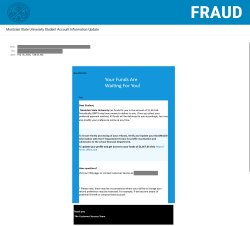
Why This Email May Look Legitimate
-
Use of Official Names: The email mentions BMTX (BankMobile), a service many universities actually use for disbursements.
-
Specific Dollar Amounts: Using a precise figure like $1,367.64 creates a sense of realism and urgency.
-
Professional Formatting: It includes standard boilerplate language about “Identity Theft” and “Customer Service” to mimic a security-conscious organization.
Signs This Email Is Phishing
-
Generic Greeting: Addressing the recipient as “Dear Student” instead of using a specific name is a major red flag for official financial communications.
-
External Senders: The email originates from non-university addresses and non-BMTX domains.
-
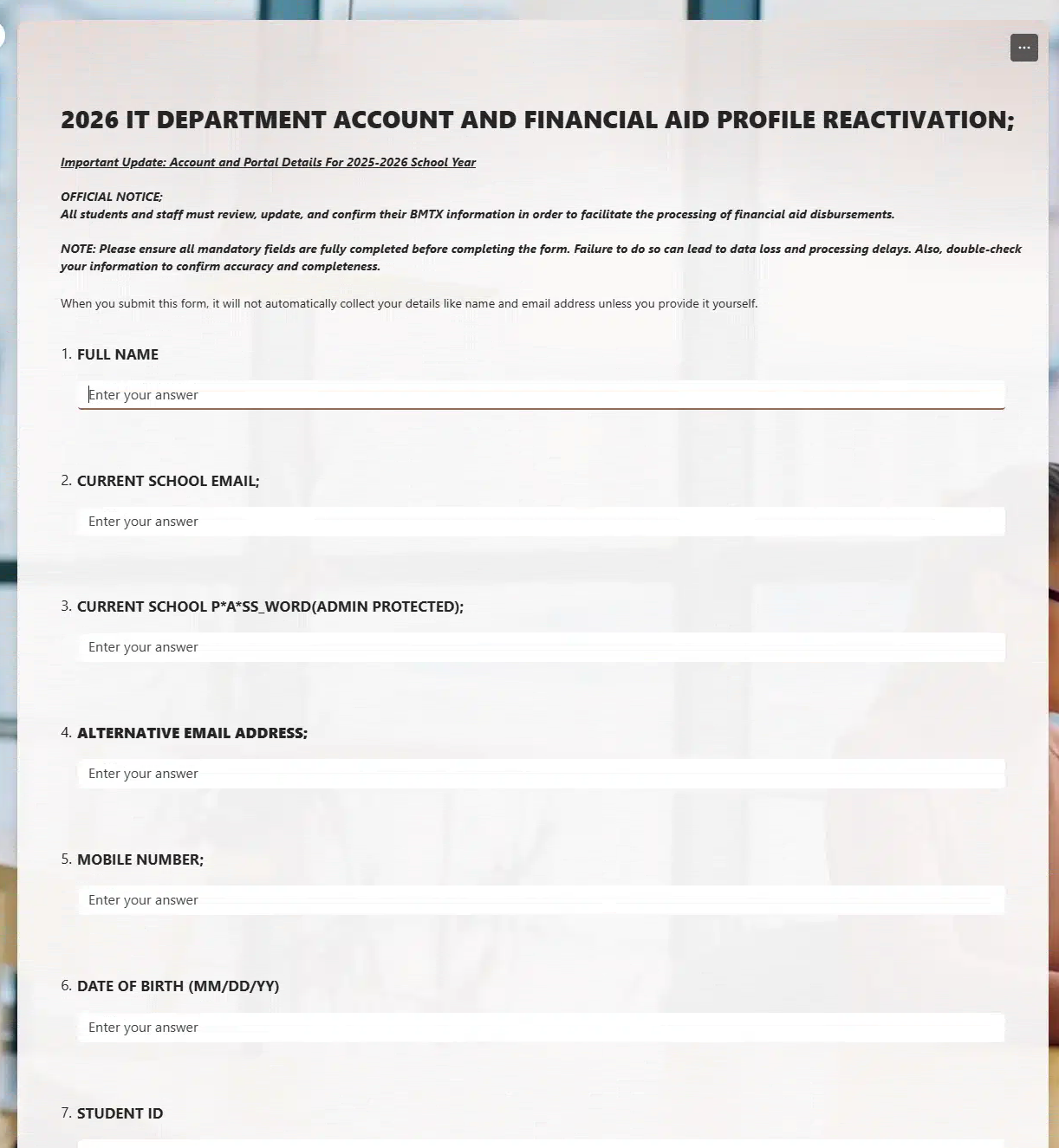
Nonsensical Procedures: The email asks you to update information with the IT Department to receive Financial Department funds. In a real scenario, the IT department does not handle student banking or tuition refunds.
-
Hosted on Public Forms: The link leads to a Microsoft Forms page. Official banking or university business will always be conducted through a secure, proprietary portal, never a free public form tool (like Google Forms or Microsoft Forms).
-
Punctuation and Grammar: Random capitalization (e.g., “All funds,” “Verify and Update”) and awkward phrasing are common in phishing templates.
Risks of Clicking the Link
If you click the link and fill out the form, you are handing your sensitive data directly to cybercriminals.
Risks include:
-
Financial Theft: Providing your banking information allows attackers to drain your accounts.
-
Identity Theft: Providing your name, phone number, and password can be used to hijack your university account or open fraudulent credit lines.
-
Credential Harvesting: If you use the same password for this “form” as you do for your university login, attackers can gain access to your student records and personal emails.
What Should You Do?
-
Do not click any links or provide any information.
-
Report the email via the Knowbe4 Phish Alert Button (PAB).
-
Do not approve any Duo MFA requests you did not initiate.
Additional Notes
- Remember: Information Technology will never text you. We will also never request your password or Duo codes, ever.
- Information Technology will not ask you to verify accounts or submit passwords through unofficial forms or unexpected email links.
- Do you think you’ve fallen for a scam? Did you share personal information? Downloaded malicious content? Please contact the IT Service Desk at 973-655-7971 option 1 or email itservicedesk@montclair.edu.
- Use the Knowbe4 Phish Alert Button (PAB) to report malicious emails directly to the Information Security team for review. If you are not using the Gmail client please forward the email to phishfiles@montclair.edu.
- Always use the “hover over” technique to check web links before clicking! For more security tips please visit our Security Tips page.