
March 23, 2026
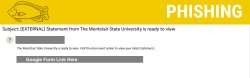
Statement from The Montclair State University is ready to view
Posted in: Phishing
Why This Email Might Look Legitimate
This phishing attempt is designed to appear credible to employees:
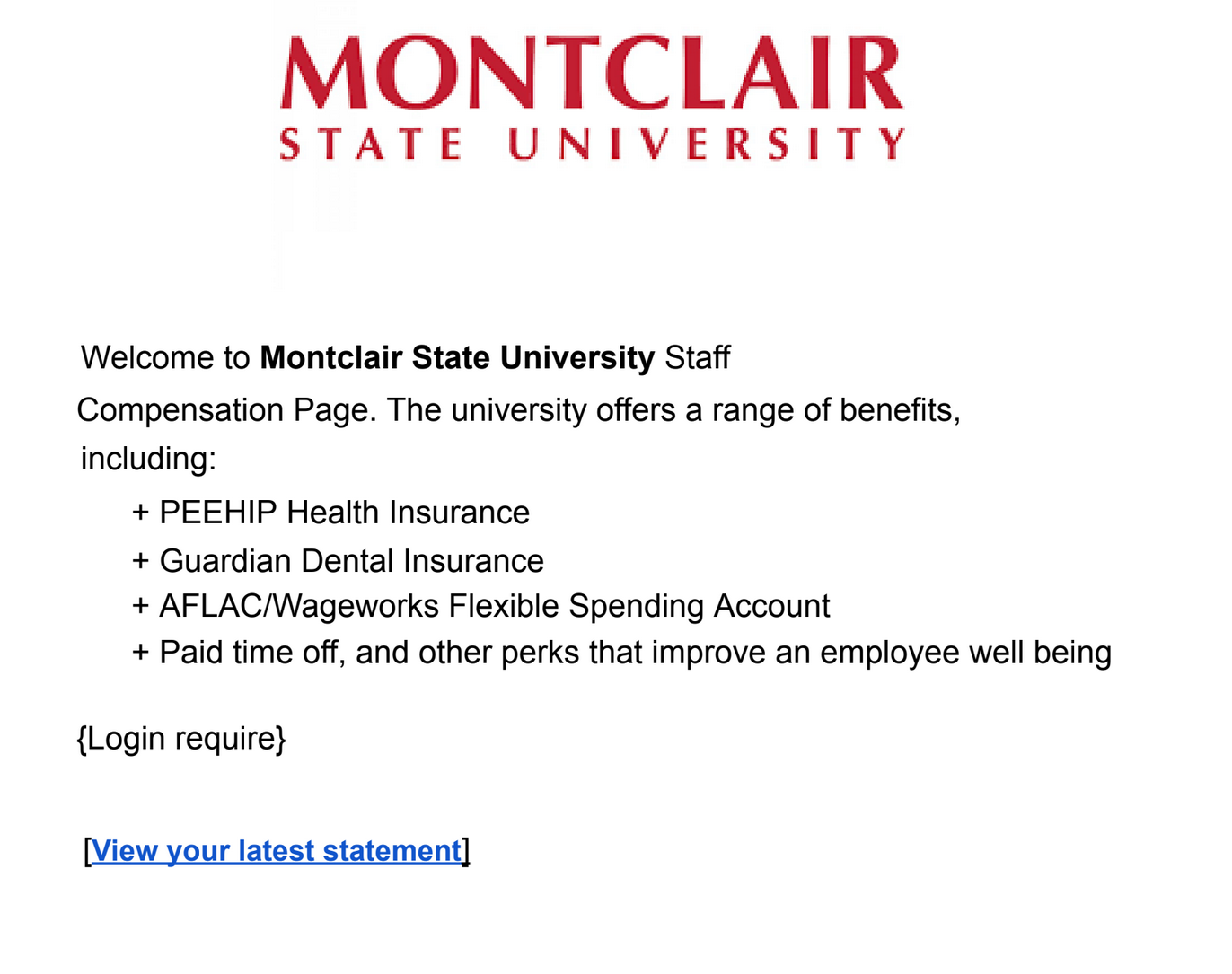
- Familiar HR-related language (compensation, benefits, statements)
- References to real employee benefits (e.g., health insurance, PTO)
- Use of university branding/logos to build trust
- Hosted on Google Docs, a commonly used and trusted platform
- Minimal wording, which can make it feel like a routine internal notification
How We Know It’s a Phish
There are several red flags that indicate this is not a legitimate university communication:
- Generic and unclear wording (“The Montclair State University is ready to view”)
- Unexpected message—no prior notice about a new “statement”
- Google Docs link instead of an official Montclair system (e.g., HR or payroll portal)
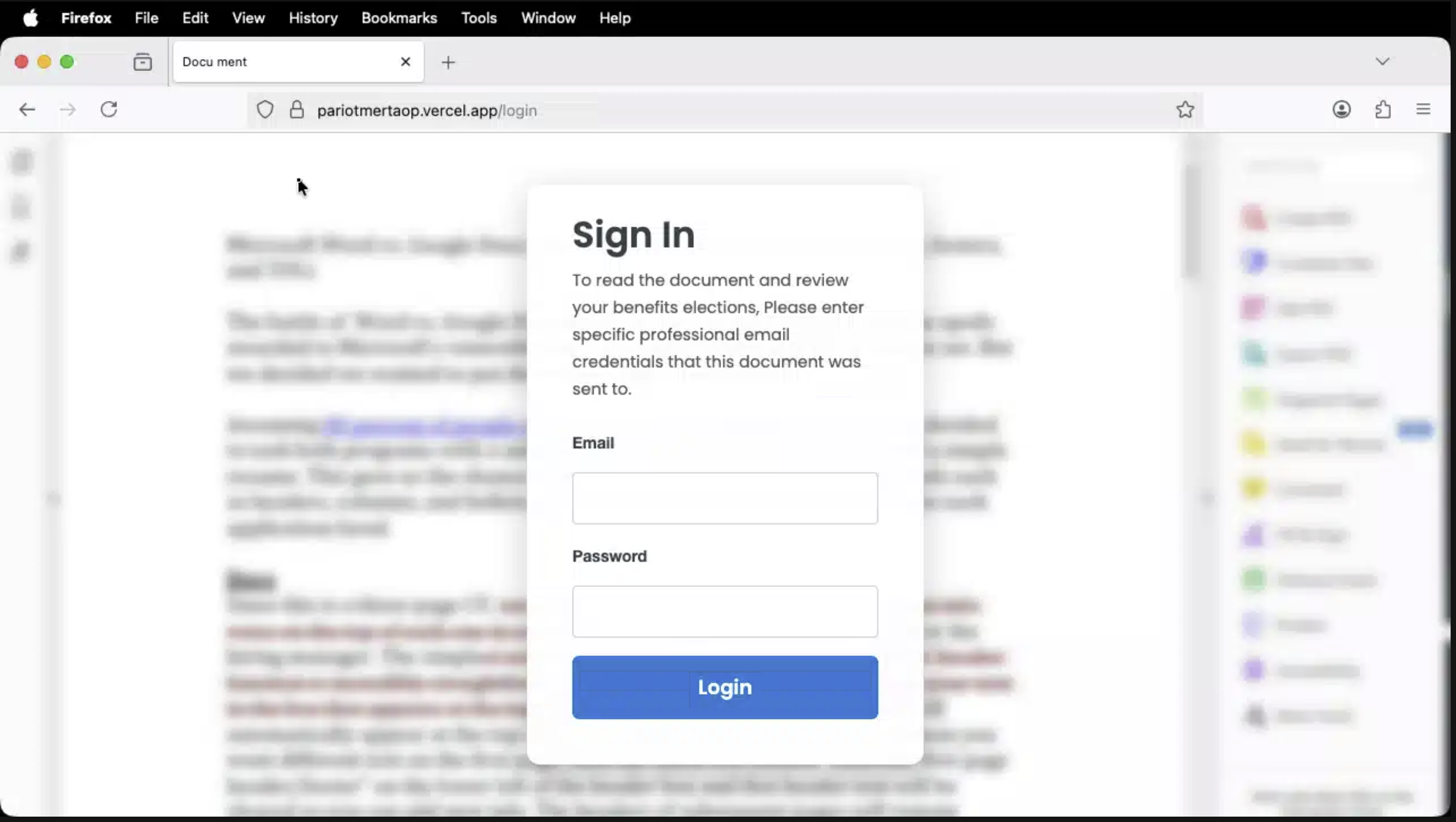
- Login prompt on a non-university page
- Lack of official contact information or context
Legitimate university communications about compensation or benefits will always direct you to official systems and will not request login credentials through third-party platforms.
What Happens If You Click the Link
If you interact with the document and attempt to log in:
- You may be directed to a fake login page designed to capture your credentials
- Your NetID, password, or Duo authentication could be compromised
- Attackers could gain access to:
- Email and sensitive communications
- Montclair systems (Workday, Nest, etc.)
- Personal or payroll-related information
- Your account may then be used to send additional phishing emails to others
What To Do
If you receive this email or something similar:
- Do not click the link
- Report the email using the Phish Alert Button (PAB)
If you already clicked the link or entered your information:
- Change your NetID password immediately
- Report the incident using the Phish Alert Button
- If you approved a Duo request you did not initiate, deny future requests and report it right away
Additional Notes:
- Remember: Information Technology will never text you. We will also never request your password or Duo codes, ever.
- Information Technology will not ask you to verify accounts or submit passwords through unofficial forms or unexpected email links.
- Do you think you’ve fallen for a scam? Did you share personal information? Downloaded malicious content? Please contact the IT Service Desk at 973-655-7971 option 1 or email itservicedesk@montclair.edu.
- Use the Knowbe4 Phish Alert Button (PAB) to report malicious emails directly to the Information Security team for review. If you are not using the Gmail client please forward the email to phishfiles@montclair.edu.
- Always use the “hover over” technique to check web links before clicking! For more security tips please visit our Security Tips page.