
March 26, 2026
Your Performance Self-Evaluation Is Available for Your Review
Posted in: Phishing
Why This Looks Real
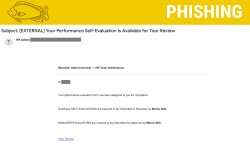
This phishing email is especially convincing because it mimics real HR processes:
- Relevant timing
Mentions of evaluation deadlines (like March 26th) align with real performance review cycles. - Familiar system references
The message references evaluation steps that resemble workflows in Workday. - Personalization
Includes your name to make the email feel legitimate. - Professional tone
Uses structured language like “Submitted to Reviewer” and “Submitted for Approval.” - HR-style formatting
Appears to come from an “HR Admin” with an official-looking notification format.
Why This Is Fake
Despite looking legitimate, there are clear warning signs:
- External sender
The email comes from outside the university, even though HR communications should come from internal systems. - Generic sender name
“HR Admin” is vague and not tied to a real university contact. - Malicious link behavior
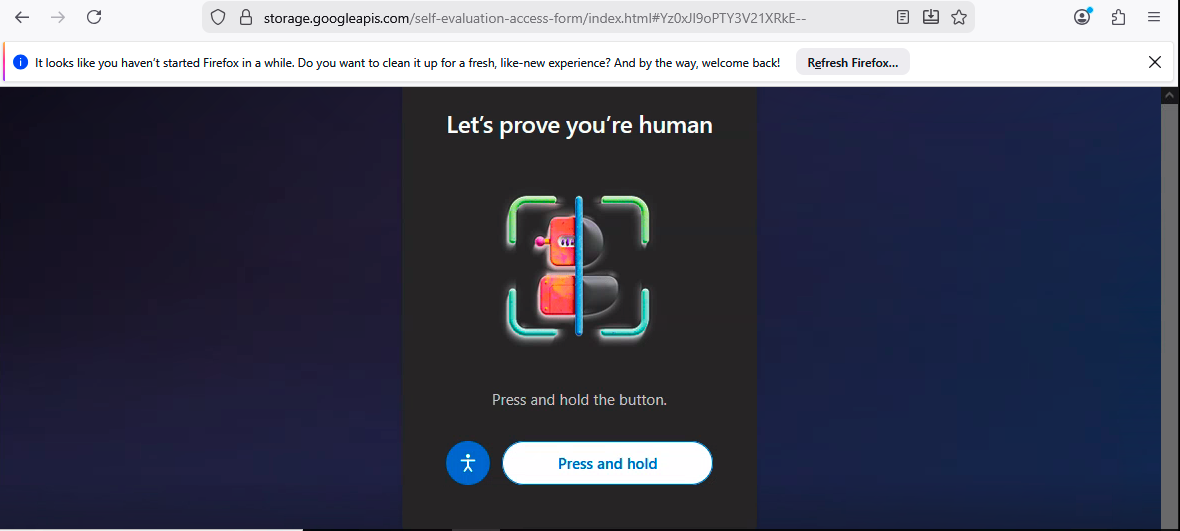
The “View Review” link leads to:- A fake CAPTCHA page
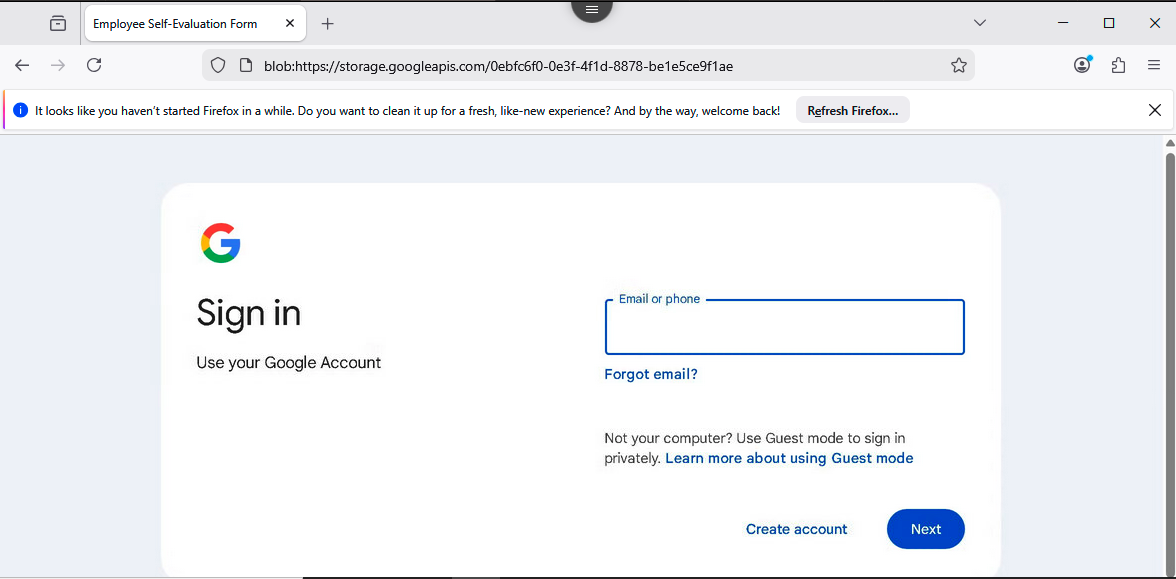
- Followed by a spoofed login page designed to steal your credentials
- Unexpected request
Legitimate performance reviews are accessed directly through Workday—not through email links. - No direct link to official system
The URL does not match your institution’s Workday domain.
What You Should Do
If you receive this message:
- Do NOT click the link
- Do NOT enter your login credentials
- Report it immediately using the Phish Alert Button (PAB)
If you already clicked or entered your information:
- Change your password immediately
- Report it via the PAB
- Monitor your account for unusual activity
Additional Notes:
- Remember: Information Technology will never text you. We will also never request your password or Duo codes, ever.
- Information Technology will not ask you to verify accounts or submit passwords through unofficial forms or unexpected email links.
- Do you think you’ve fallen for a scam? Did you share personal information? Downloaded malicious content? Please contact the IT Service Desk at 973-655-7971 option 1 or email itservicedesk@montclair.edu.
- Use the Knowbe4 Phish Alert Button (PAB) to report malicious emails directly to the Information Security team for review. If you are not using the Gmail client please forward the email to phishfiles@montclair.edu.
- Always use the “hover over” technique to check web links before clicking! For more security tips please visit our Security Tips page.