
Evaluation Season Has Begun- Your Review Is Needed
Posted in: Phishing
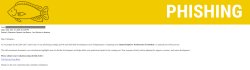
Why this looks valid:
-
Professional Tone and Language: The email uses formal, corporate-sounding language
-
Contextually Relevant Subject: It ties the request to a normal, mandatory business process—the Annual Employee Performance Evaluation—which employees are conditioned to expect and complete.
-
Clear Business Purpose: The email clearly states why the user must take action
Why this is phishing?
- Sender Not in Domain: An official, mandatory internal evaluation must come from an email address within our domain or Workday, not an external sender.
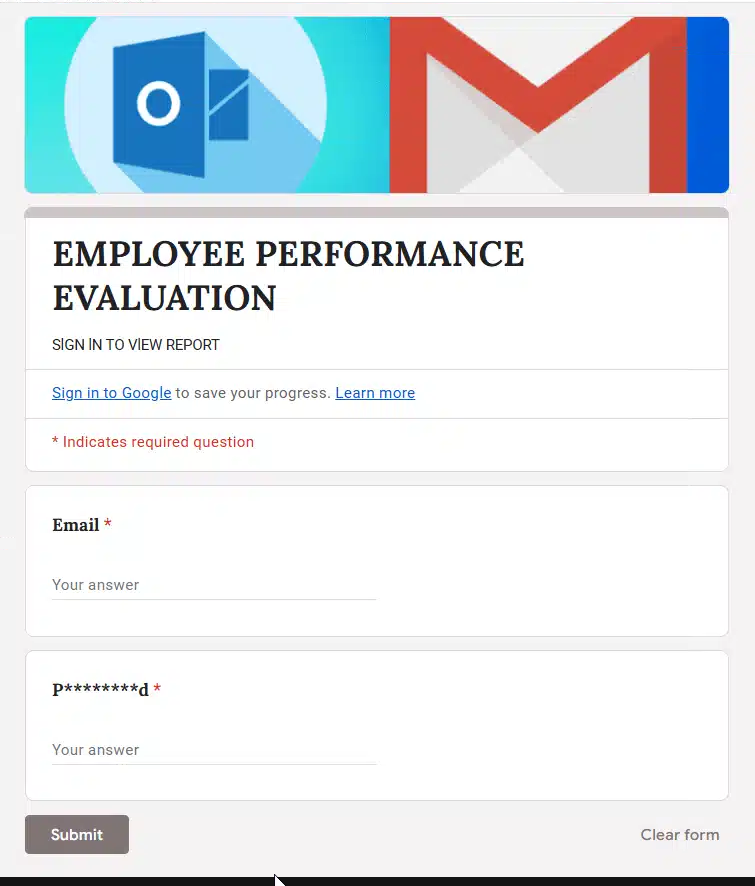
- Requesting Credentials on a Google Form: This is the definitive sign of a scam/credential harvest. Montclair will NEVER use an unsecured, public platform like Google Forms to collect sensitive information like your password. Logins are always handled through secure, internal portals.
- Vague Sign-Off: The email is missing a crucial element: who sent it?
User Guidance Summary: Protect Your Credentials
When reviewing any internal communication, advise your users to follow this simple checklist:
-
Check the Sender’s Email Address: Is the domain correct? If it’s outside our domain, it is likely a scam.
-
Verify the Login Method: DO NOT enter your company email and password into any form (Google, Microsoft, etc.) that isn’t your recognized, official company login screen. Internal forms should never require your password.
-
Check the Sign-Off: If the email doesn’t clearly name the person or department responsible, be suspicious.
- Quick Tip: Does the person signing off make sense? Does Joe Smith work at Montclair? Is Joe part of the department signing off? Does the sender and signature make sense?
-
Verify with a Known Channel: If in doubt, do not reply or click the link. Instead, open a new email and message a known HR representative or your supervisor to verify the request.
Additional Notes:
- Do you think you’ve fallen for a scam? Did you share personal information? Downloaded malicious content? Please contact the IT Service Desk at 973-655-7971 option 1 or email itservicedesk@montclair.edu.
- Use the Knowbe4 Phish Alert Button (PAB) to report malicious emails directly to the Information Security team for review. If you are not using the Gmail client please forward the email to phishfiles@montclair.edu.
- Always use the “hover over” technique to check web links before clicking! For more security tips please visit our Security Tips page.