
August 5, 2025
Report Submitted for Your Course (Multiple Similar Subjects)
Posted in: Phishing
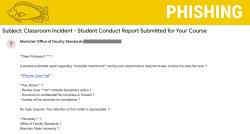
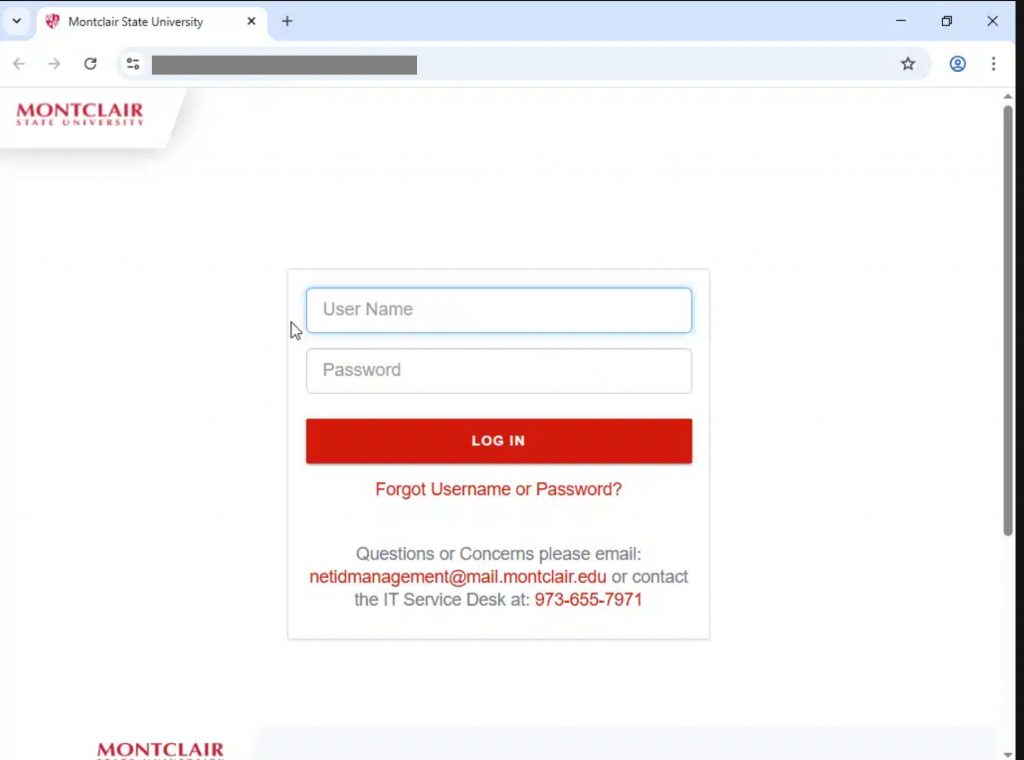
Why this looks valid:
- Email says it’s coming from Montclair Office of Faculty Standards
- When the link is clicked it shows the Montclair State University login page.
Why this is phishing?
- Montclair Office of Faculty Standards is not a legitimate department.
-
Phishing emails often use strange punctuation to sneak past spam filters or hide their true intent. Watch out for things like:
-
Extra spaces (like this !)
-
Random CAPS or !!!
-
Dashes—or ellipses…everywhere
-
Replacing letters with symbols (like @pple or l0gin)
These tricks might look weird to you — because they are. Trust your gut and don’t click suspicious links or reply.
-
- Link is not to a Montclair State University website.
- Hover over the link (don’t click!)
- Look at the URL that pops up
- Does it match the site you expect? Or is it weird, misspelled, or full of random characters?
-
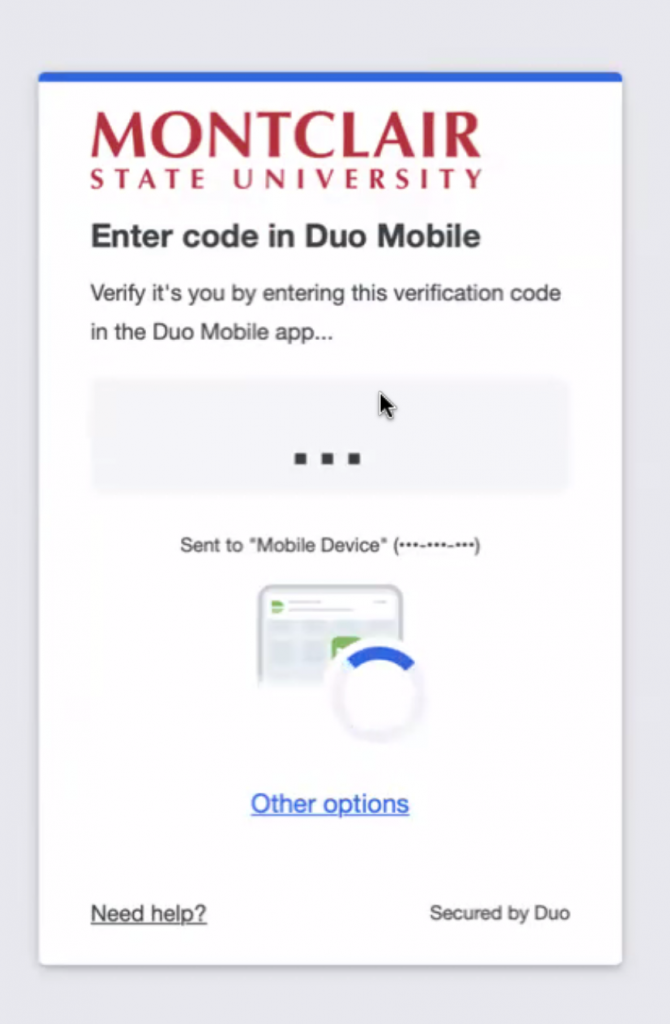
Fake Duo Code Page
-
A Duo prompt appears after you enter your credentials.
-
The Duo screen asks for a code and begins cycling through multiple numbers automatically — this is not normal.
If Duo behaves strangely or you’re unsure about the login page, stop and report it immediately.
-
Additional Notes:
- Do you think you’ve fallen for a scam? Did you share personal information? Downloaded malicious content? Please contact the IT Service Desk at 973-655-7971 option 1 or email itservicedesk@montclair.edu.
- Please send any malicious emails you have received to phishfiles@montclair.edu or by clicking the Knowbe4 Phish Alert Button (PAB).
- Always use the “hover over” technique to check web links before clicking! For more security tips please visit our Security Tips page.