New Study Submission
NEW! View our Cayuse IRB Initial Submission Training PowerPoint.
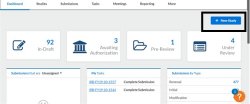
To create a new study, click the New Study button in the upper right of either the Studies page or your Dashboard.
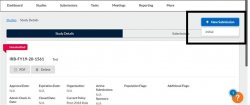
After creating the new study, you will be taken to the Study Details page for that study, which displays important information regarding the study.
To begin working on your study, click New Submission to add the initial submission for your study.
The initial submission appears below the study details. The person who creates the study is added as the PC by default. You can change this when editing the submission, if needed. Click the Edit button to begin working on the initial submission.
- You will likely have to make revisions to your initial submission based on comments from the IRB reviewer and/or the IRB staff
- This may involve responding to comments within the submission sections
- Sections with unresolved comments have a comment bubble icon to their right indicating the total number of unresolved comments in that section
- Questions with new comments show a gray comment bubble and the number of comments for that particular item underneath the question
- Select the sections that are highlighted with comment boxes and search for “Expand comments”
- Click on the “Expand Comments” to view the comments associated with each question
- Click “Reply” to open a text box to write your comment
- Type in your comment
- Click “Save” to save your comment
- Once you have resolved an issue, change the status drop-down from “Not Addressed” to “Addressed”. Addressed comments have a green sidebar and the comment count no longer appears on the comment bubble icon for that question (unless there are other unaddressed comments for that question). You must mark all comments as addressed before the submission can be re-certified.
- Your submission is ready to re-certify once all check marks appear as green next to each section
- The PI will need to re-certify the submission to return it to the IRB Office
Step 1: Go to your study details page. Click the blue “+ New Submission” button and select “Modification”
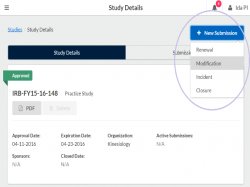
Step 2: Select Edit on the Submission details page to begin the submission
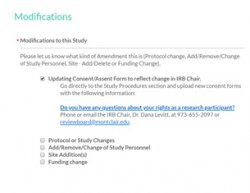
Step 3: Answer the Modification type question and make your requested changes directly in the corresponding section of the submission
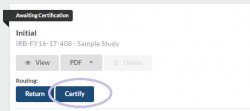
Step 4: Complete and certify your submission

Note: Remember you can compare your current submission to the immediately preceding version by selecting “Compare” at the top of the page
When proposing changes to an existing approved protocol, it is important to consider whether the changes may warrant submission of a new protocol rather than a modification. Please consider the following:
- Did the study aims, research questions, or hypotheses change?
- Are there more than just 1 or 2 changes to the procedures or method?
- When was your initial approval? Was your study designed as a longitudinal study?
- Did your compensation change (i.e., you gave out the first 100 gift cards and now you are using a different type of compensation strategy)?
If one or more of these apply to your modification, it is likely you should submit a new application for a new proposed study. If you are still unsure, please review the checklist below regarding when to submit a modification versus a new application.
Modification submissions are not necessarily easier or faster for you as the PI than submitting a new application.
Montclair’s IRB must examine any modification using the same standards for review and approval as any other submission. A modification that does not adequately explain changes, includes inconsistencies, or does not provide the appropriately revised materials will slow the review process and result in follow-up communications with the IRB.
Please note, if you do need to submit a new application, you will also need to submit a closure for the original study.
| Submitting Modifications vs. New Initial Protocol Checklist | ||
|---|---|---|
Do the proposed changes alter the research hypothesis? Is there a change in the study purpose and/or aims?
|
||
Did the procedures/methods change substantially?
|
||
Was the initial study submitted more than 3 years ago?
|
||
Will the study utilize a new compensation structure?
|
||
Is this a new grant?
|
||
Adapted from University of Oregon IRB
If you answered yes to one or more of the questions above, then you will need to submit a new application for your study. Please note you will also need to submit a closure to the previous study as well.
If you have any questions or concerns please email us at reviewboard@montclair.edu.
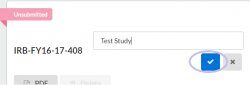
- Go to your Study Details page
- Hover over your study title
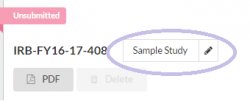
- Click and type in new study title
- Click the blue check