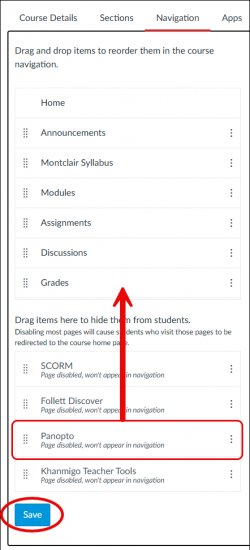
In your Canvas course, navigate to Settings and click on Navigation.
Drag or enable Panopto so that it appears in the left navigation in your course.
Click Save.
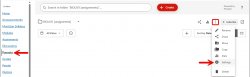
Select Panopto, then click on More actions and choose Settings.
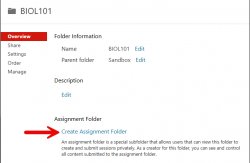
From the Overview tab, click on Create Assignment Folder. This will create a subfolder called assignments which will allow students to record and upload their videos.
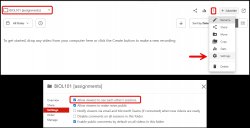
If you would like students to be able to see each other’s videos, click on the [assignments] folder, click on More actions and select Settings then under the Settings tab enable “Allow viewers to see each other’s sessions” and close out.