
October 10, 2025
Change to WiFi Configuration for Apple Computers
Posted in: Enterprise Software, IT Services

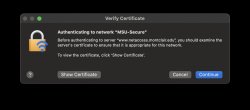
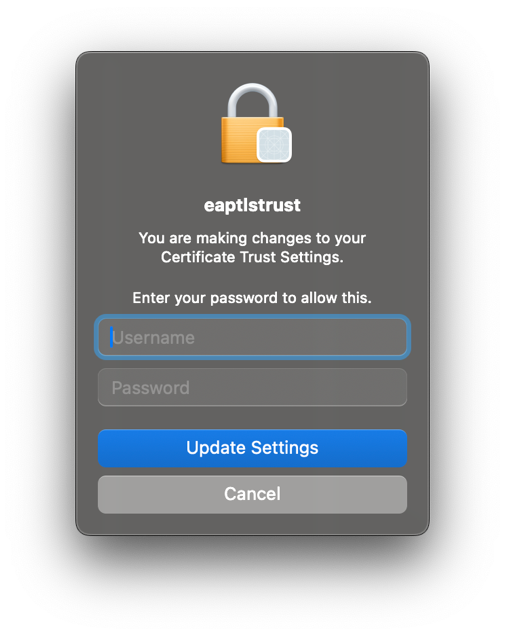
On October 20th, 2025 we will be making a small change to our WiFi configuration for Montclair State University managed Apple computers. After the change, you may be prompted to accept a certificate for MSU-Secure. This can occur at any time, but most likely after changing networks or rebooting. You will see the following dialog boxes.
1. Authenticating to network “MSU-Secure”. Select continue.
2. Authentication prompt for eaptlstrust. Enter your username (NetID) and password. Select Update Settings.
3. Done.